
Training journal for iPhone

Every set, written down.

A training journal for your lifts: plan the day, log each set, see the block add up.

Download on the App Store

For iPhone

  1. 1

    Plan your week.

    Pick your training days and stark. lines up a workout for each one.

  2. 2

    Log every set.

    Weight and reps in a couple of taps, right there between sets.

  3. 3

    Missed a day? No drama.

    Do it today and the plan moves back a day, or skip it and keep going.

Plans

Start from a plan, or build your own.

Choose a starting plan or set the days yourself. Each training day gets a workout, and the plan starts the day you save it.

  • Push, pull, legs. Three workouts, three to six days a week.
  • Upper and lower. Two workouts, four days a week.
  • Full body. Two workouts, three days a week.
  • Build your own. Start from an empty week and pick a workout for each day.
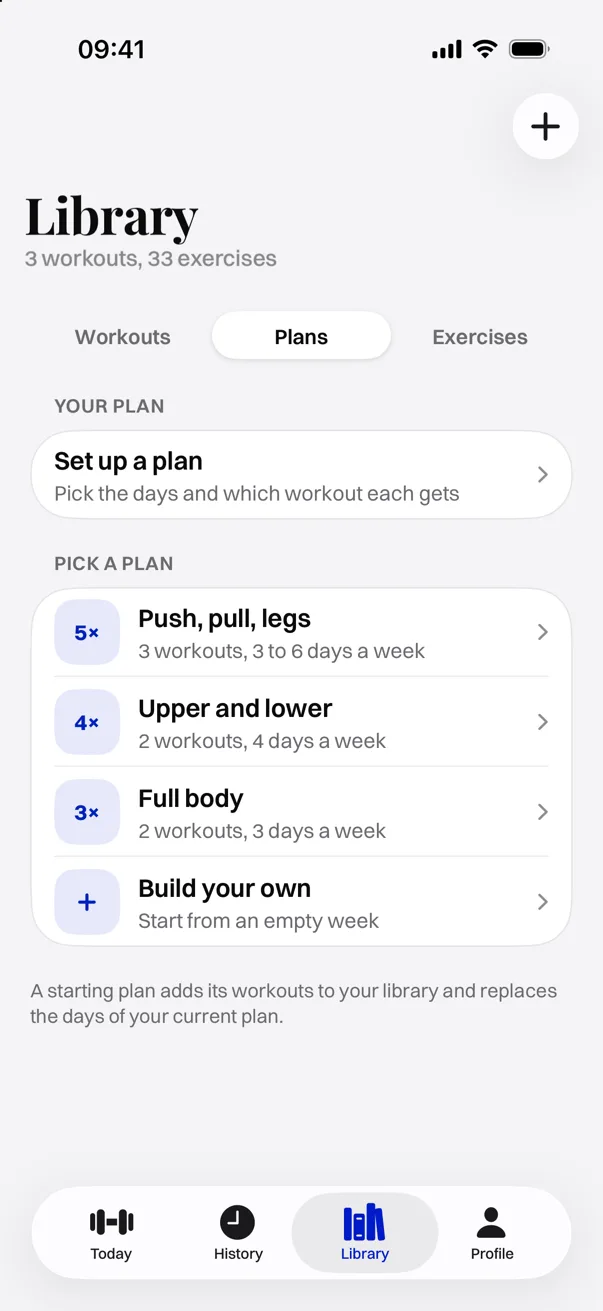
The Plans tab in the Library: set up a plan, or pick Push, pull, legs, Upper and lower, Full body, or Build your own.

Today

Open the app, see what's next.

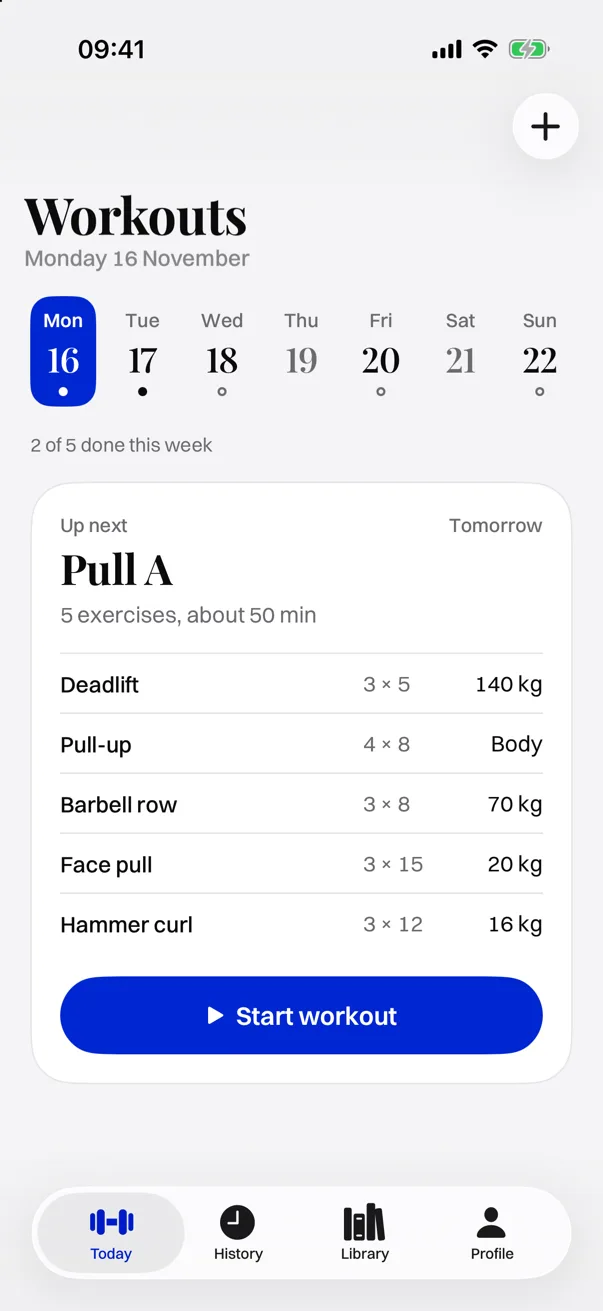
Today shows your week at a glance and the next workout in full: every exercise, its sets and reps, and the weight you're working with.

Yesterday

You missed Legs

Do it today and the rest of your plan moves back a day. Skip it and the dates stay as they are.

Today: the week strip, 2 of 5 done this week, and Pull A up next with five exercises and a Start workout button.

Logging

Log a set in two taps.

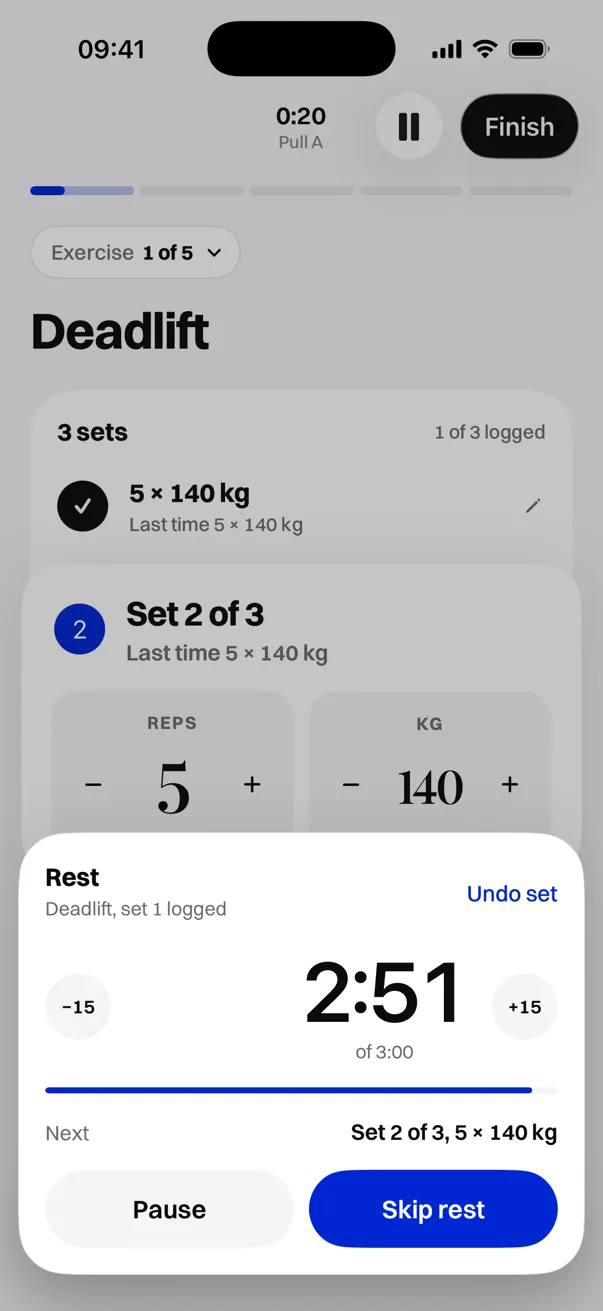
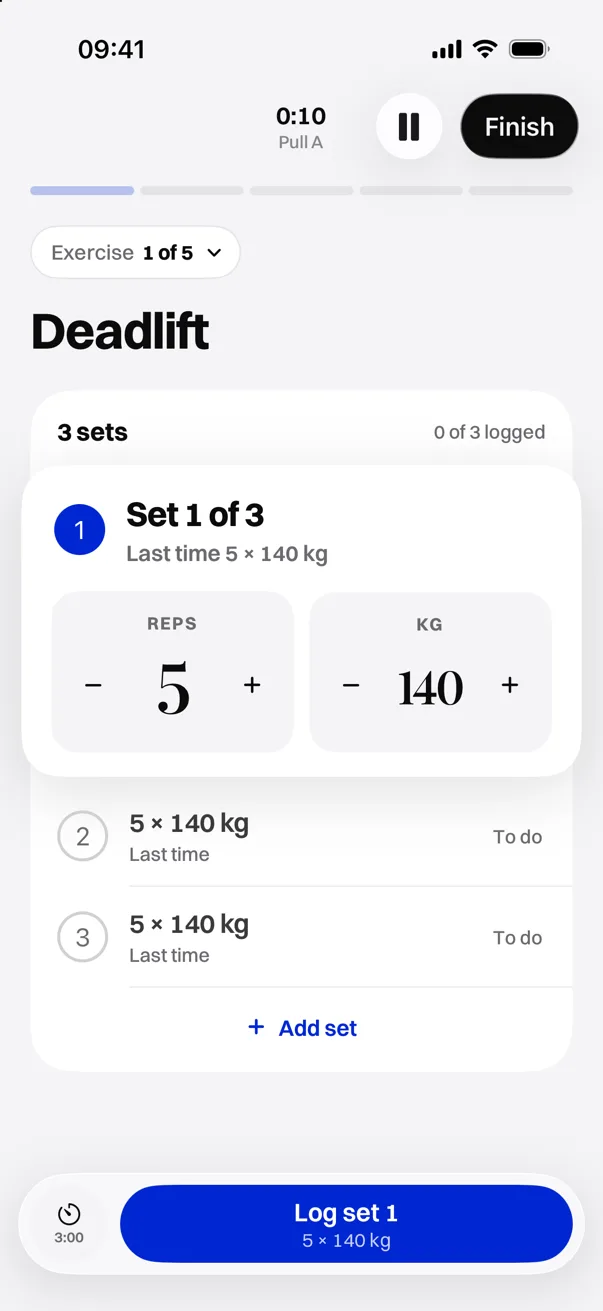
Each set starts at what you did last time. Nudge the reps or the weight, tap Log set, and the rest timer starts on its own.

  • Last time, on every set. No digging through old sessions.
  • A rest timer that runs itself. Add or take off 15 seconds, or skip rest.
  • Change your mind. Undo a set, add one, or swap or skip an exercise.
A live workout: Deadlift set 1 logged at 5 × 140 kg and the rest timer counting down from 3:00.

Library

Your workouts and exercises, in one place.

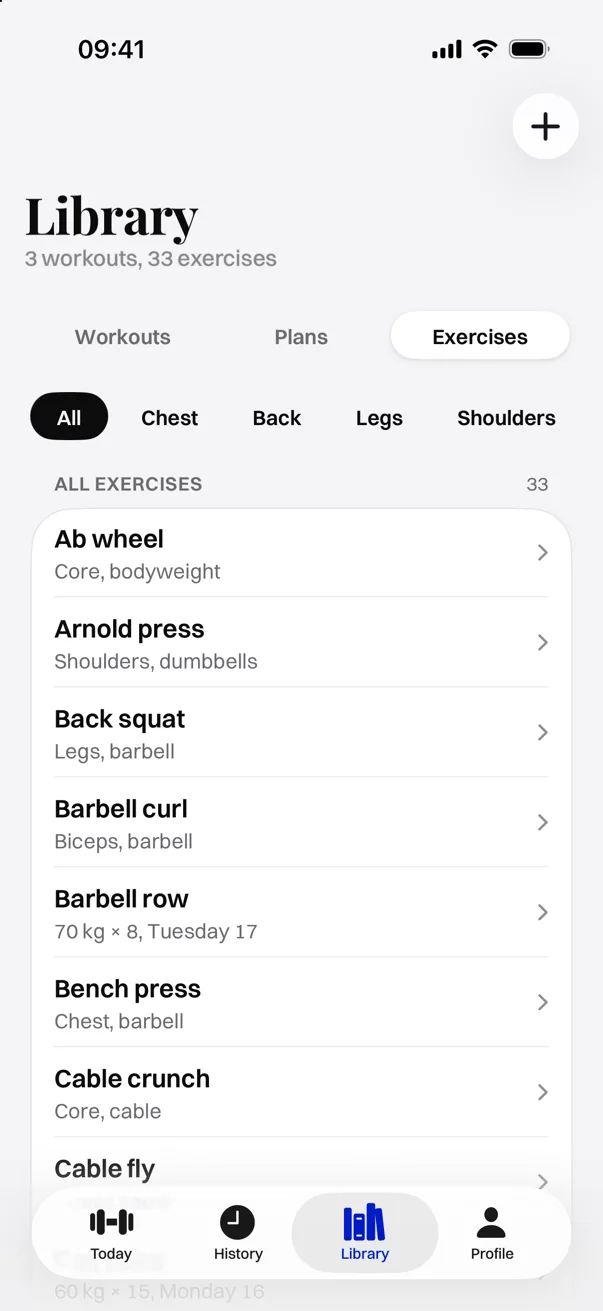
Keep your workouts, your plan and your exercises together. Filter the exercise list by muscle group, see your last set at a glance, and add your own exercises.

The Exercises tab in the Library, filtered by muscle group, listing exercises with their muscle and equipment.

Progress

See the block add up.

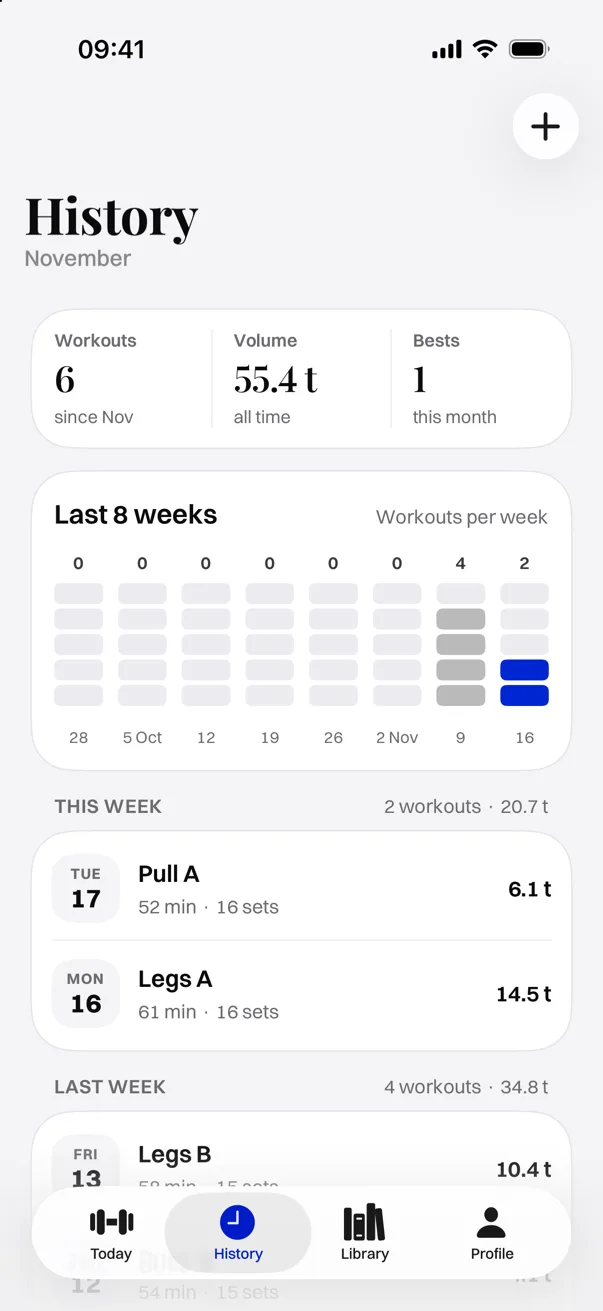
History keeps every session with its time, sets and volume. Week by week you see how often you trained and how much you moved.

  • Workouts, volume and bests at the top of History.
  • Workouts per week over the last eight weeks.
  • Every session grouped by week, with duration, sets and tonnage.
History: 6 workouts, 55.4 t volume, 1 best this month, a workouts-per-week chart and this week's sessions.

Around the workout

Out of the way when you're lifting.

Live Activity

The workout clock, the set you're on and your rest countdown sit on the Lock Screen and in the Dynamic Island.

Apple Health

Save each workout to Health with its duration, and keep the bodyweight on your Profile current.

Signed in and synced

Sign in with Apple or an email code, and your training is backed up and synced.

Rest your way

Set a default rest time. Each exercise can override it.

Weight steps

Choose how much each + and − adds, per equipment.

kg or lb

Log in the unit you train in.

Light or dark

Follow the system, or pick one.

Every set, written down.

Plan the day, log each set, see the block add up.

Download on the App Store